

Choose the label construction by printing process
| Printing process | What to confirm before ordering | What to inspect in the trial |
|---|---|---|
| UV inkjet | Facestock treatment or topcoat for the press and ink series; approved curing setup | Beading or mottling, missing detail, ink anchorage and scuffing |
| HP Indigo (LEP) | Exact stock grade, ElectroInk system and whether a pre-treated surface or documented primer is required | Transfer uniformity, adhesion after printing, and durability after finishing |
| Dry toner | Full laminate and media format for the model, including fusing conditions, adhesive and liner | Feeding, curl, film distortion, edge contamination and toner anchorage |
| Aqueous inkjet | Ink-receptive media for the printer and its dye or pigment ink; drying and handling requirements | Smearing, bleeding, drying behavior and resistance after intended exposure |
The four rows are starting checks, not a compatibility chart. Some grades can run on more than one process. Confirm the exact grade rather than inferring compatibility from a finish name such as glossy, matte or top-coated.
UV inkjet: Check wetting and anchorage separately
For white BOPP or clear BOPP, ask which ink series and surface preparation were evaluated. A supplier's UV inkjet guide for the Domino N610i, for example, records recommendations by material construction and ink system. A broad film-family description does not provide that level of detail.
Look at solids and fine detail before judging adhesion. Beading or uneven coverage can indicate a wetting issue; a clean image that later flakes raises different questions, including cure and ink-to-surface anchorage. On paper, inspect the printed solids and the appearance across the web rather than assuming that a semi-gloss face will behave like another coated paper. If cured ink is already lifting, start with the film ink-adhesion troubleshooting guide.
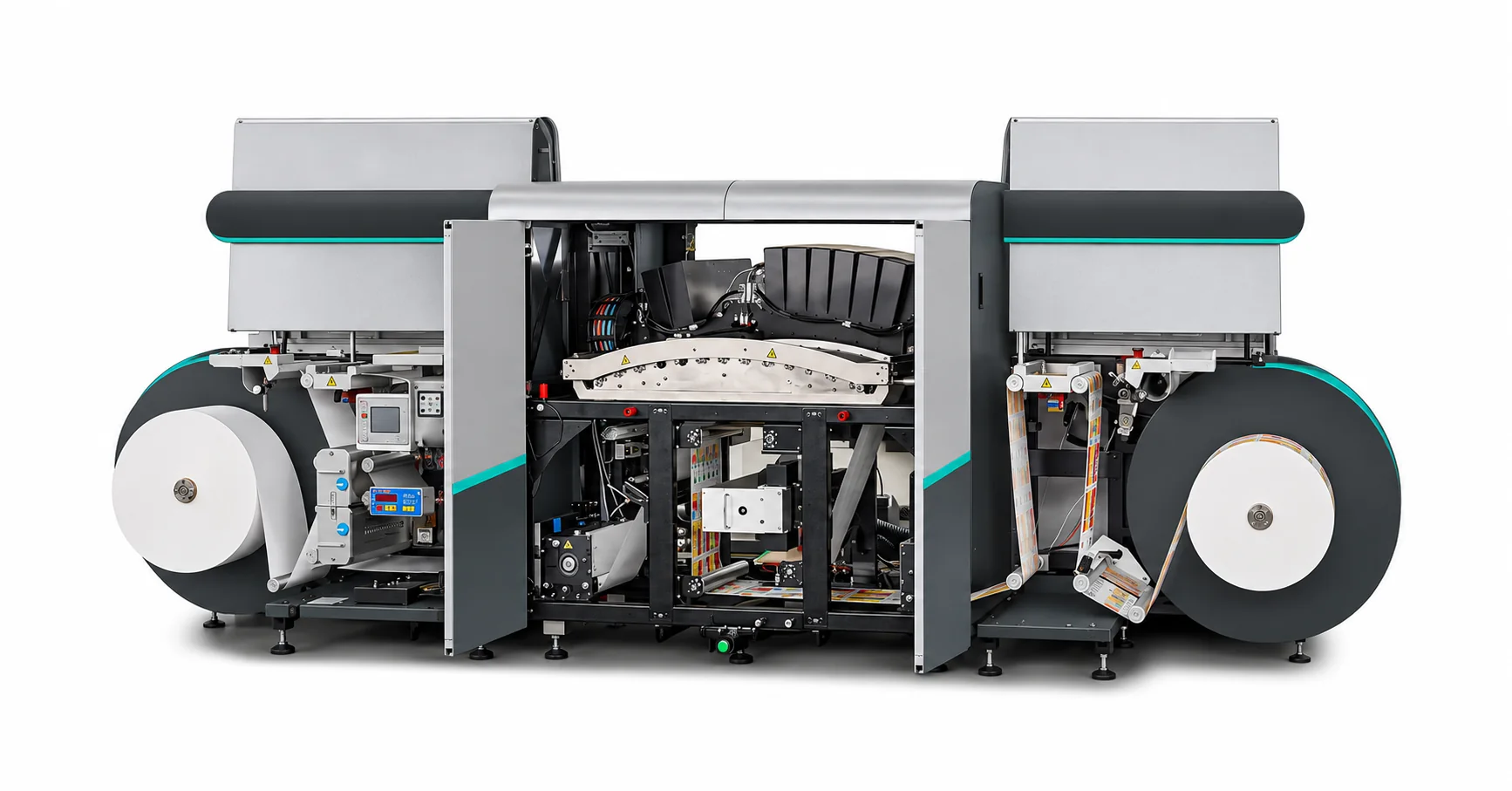
HP Indigo: Confirm the primer and substrate together
HP Indigo transfers ElectroInk through a heated blanket. Check whether the supplier's representative sample is an Indigo-ready grade or a grade intended for a documented priming step. An inline primer option does not make every stock compatible. HP's process overview describes blanket transfer, and Michelman's primer guide illustrates how primer recommendations vary by press and substrate.
Record the actual setup: press model, stock grade and batch, and primer identity if used. Review solids, fine text and ink adhesion using the converter's agreed method. If the job will be laminated, varnished or foiled, keep a printed sample before finishing so you can tell which step introduced a defect.
Dry toner: Qualify the whole laminate through the paper path
Dry-toner fusing places demands on the media, not just the side that receives print. Use material documented for the exact press and approved format. Check for curl, dimensional change, lifting labels, adhesive at the edges and inconsistent feeding. Do not borrow a fuser temperature from another machine or choose a construction based only on whether the adhesive is called acrylic or hot melt. Avery Dennison's dry-toner material guidance gives examples of qualifications tied to specific presses.
For a sheet-fed press, confirm the sheet format, flatness and any edge or label-layout restrictions with the equipment supplier. For a roll-fed press, confirm width, core, outer diameter and winding. A successful sheet trial does not qualify a roll, or vice versa. PET film can be considered where durability calls for it, but the film family does not establish fuser compatibility. Verify the adhesive and liner as part of that same stock.
Aqueous inkjet: Specify media for the printer and ink
Ask for label stock documented for the printer's actual water-based ink system. A coating intended for UV inkjet, or a paper sold as semi-gloss, is not proof of aqueous inkjet compatibility. Epson's ColorWorks media overview recommends inkjet-coated label media for those printers. Do not generalize that recommendation into approval for another model or grade.
Check drying and image legibility at the handling point that matters: rewinding, die-cutting, stacking or application. For chilled or wet packs, test the finished print and any protective layer under the intended exposure. Dye-versus-pigment alone is not enough to predict how that construction will perform.
Keep digital printing and foil transfer separate in a trial
A press may print the artwork digitally while a separate unit creates the foil image. A topcoat that accepts the artwork does not automatically accept the foil-receiving adhesive or polymer. And the pressure-sensitive adhesive on the back of the label serves a different job: it bonds the finished label to its package. On a print-and-foil job, record the layer order and retain samples before and after foil transfer. Include the intended finishing stack in the final approval.
For the foil-transfer step, see the ColdFoilStamping (CFS) guide to digital cold foiling. It explains how the foil image is formed and what to confirm about the receiving surface, adhesive or polymer, and foil before a press trial.
What to send before requesting a digital trial roll
- Press and ink: Exact model and ink or toner system; include curing setup or primer configuration where relevant.
- Stock and format: Desired facestock and finish, plus roll width, length, core ID, maximum outer diameter and winding direction where applicable.
- Converting: Die-cutting, matrix stripping, varnish, lamination, foil and any other step that adds a layer or changes the stock.
- Application: Container surface, conditions at labeling, and expected exposure after application.
- Approval: Trial artwork, inspection method and customer acceptance criteria. Retain an approved sample and record which roll and settings produced it.
Use the label material datasheets to check the candidate grade. Test representative stock with the production ink or toner, typical running conditions and actual finishing steps. Preserve the individual observations and any failures; don't treat a visual swatch as a passed press trial.
Frequently asked questions
Can one topcoat run on more than one digital press?
Some can. Ask which models, inks and conditions the supplier tested, then qualify the actual construction. A generic "digital" or "UV" description is not enough.
Does corona treatment replace a digital topcoat?
Not by default. Corona modifies the print surface, whereas a topcoat adds a coating. Follow the specification for the actual facestock and ink, and test a representative roll. A surface-energy measurement alone does not demonstrate ink anchorage.
Can I order by adhesive type for a dry-toner press?
No. Check the adhesive, coat, facestock and liner together against the press's media requirements. An adhesive-family name alone does not confirm that the stock can run through the fusing path without distortion or contamination.
Is a good print proof enough for production approval?
No. Include downstream handling and the finished label's real use conditions. Agree on conditioning times and tape, rub or other checks with the converter or customer rather than treating any single waiting time as universal.
Discuss label stock for your digital press
Ask about a trial construction with your press model, ink system, intended finish and roll dimensions. Confirm the grade, supporting documentation and sample availability before booking press time. The enquiry is for self-adhesive material, not finished-label printing.