
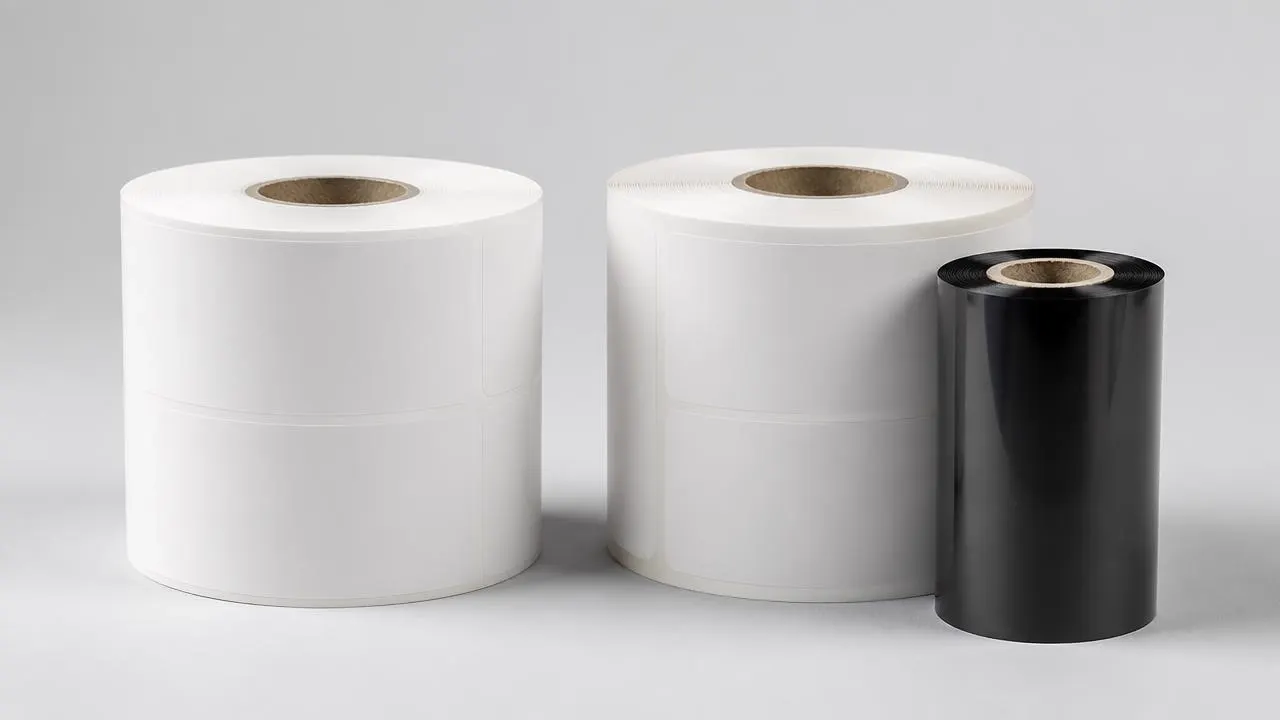
Compare the printing methods
- Direct thermal avoids ribbon loading and ribbon stock.
- Thermal transfer adds a ribbon-to-material compatibility decision.
- Paper or film is a separate choice from the printing method.
- Temperature specifications, chemical recommendations and barcode readability need separate checks.
| Question | Direct thermal | Thermal transfer |
|---|---|---|
| How is the image formed? | The printhead activates the material's heat-sensitive coating. | The printhead transfers the ribbon coating onto the face. |
| Is a ribbon required? | No. | Yes. |
| What must be matched? | Printer mode, thermal coating and operating settings. | Printer mode, ribbon, receptive surface and operating settings. |
| Where is it a useful starting point? | Short-use identification with manageable exposure. | Identification needing a more persistent image or a specified resistance system. |
| What is a main approval risk? | The background or image changes after exposure. | The ribbon does not bond adequately to the chosen surface. |
Zebra describes the different image-forming mechanisms in its direct thermal and thermal transfer guide. Treat the table as an initial screen, not a service-life specification.
For an existing installation, check the printer's model and supported modes first. A direct-thermal-only printer is not converted into a thermal transfer printer by changing the label roll. Follow its operating manual when selecting media and settings.
What this guide uses as evidence
This is an analysis of manufacturer documentation, not an AllinLabel laboratory comparison. Sources were checked on October 8, 2026.
The material matrix uses named examples in Zebra's published label portfolio. The temperature chart uses two Zebra paper-label specification sheets: Z-Perform 1500T, dated September 2016, and Z-Perform 2000T, carrying a 2018 copyright notice. Both were linked from Zebra's label portfolio when checked. That does not establish that their formulations, availability or specifications are unchanged in every market.
There are no AllinLabel trial results, independent specimen counts or measured pass rates behind these figures. The sheets provide guidance for specific products; they do not establish an industry-wide ranking. Obtain the applicable current data sheet before purchasing a material.
Paper or film is a separate decision
“Direct thermal” describes how a label forms its image. “Paper” and “polypropylene” describe its face material. They are not interchangeable categories.
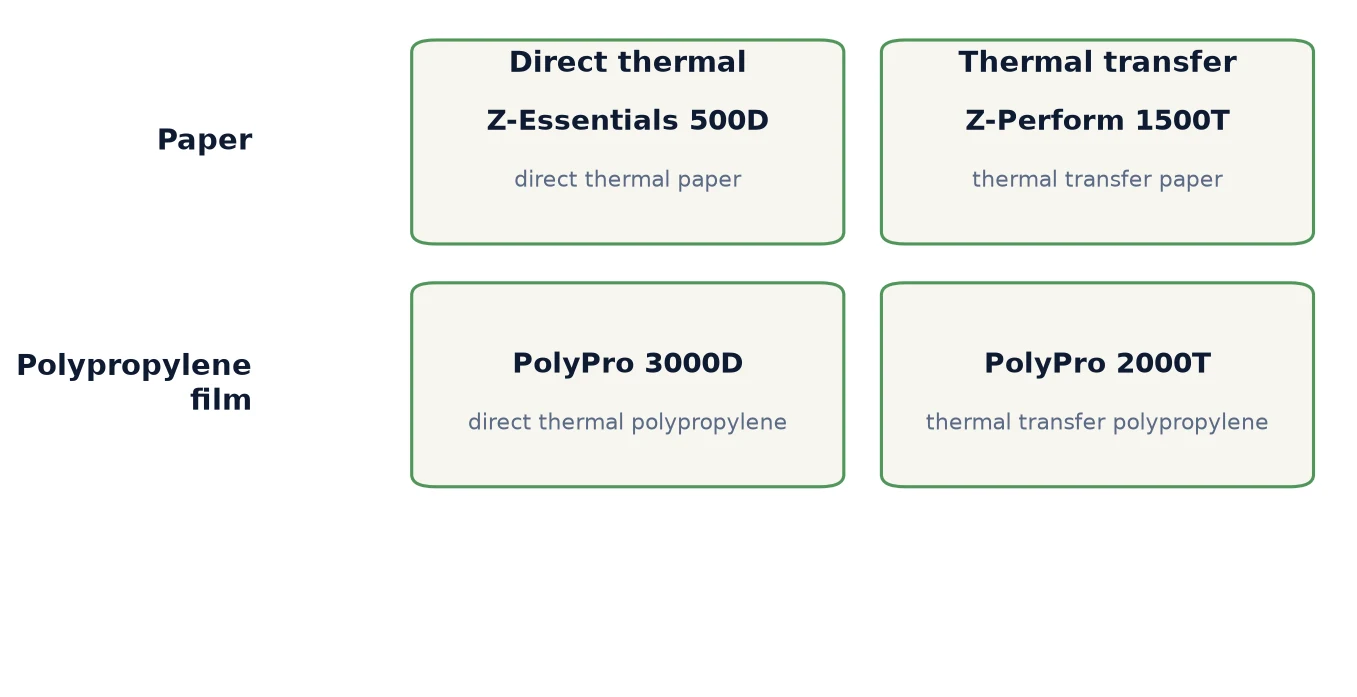
| Facestock | Direct thermal example | Thermal transfer example |
|---|---|---|
| Paper | Z-Essentials 500D | Z-Perform 1500T |
| Polypropylene film | PolyPro 3000D | PolyPro 2000T |
Source: Zebra barcode labels and tags, paper and synthetic portfolios. These are selected examples, not matched experimental pairs.
The matrix rules out a common shortcut: synthetic does not automatically mean thermal transfer. A film may need a direct thermal coating or a surface intended for ribbon printing. Confirm the mode for the exact grade, rather than ordering something described only as “thermal synthetic.”
AllinLabel's thermal synthetic material page describes both printing routes at the family level. That is not a statement that every stock can be printed in both modes. Ask for the grade-specific construction and compatibility information.
For a wet application, assess the face, printed image and adhesive separately. A film face remaining intact does not prove that its image will remain readable or that the label will stay attached.
Read temperature specifications correctly
A label's minimum application temperature is not the same as its service-temperature range. The former concerns placing the label onto the surface; the latter concerns use after application under the supplier's conditions. Neither number, by itself, reports how long a barcode survives a particular heat exposure.
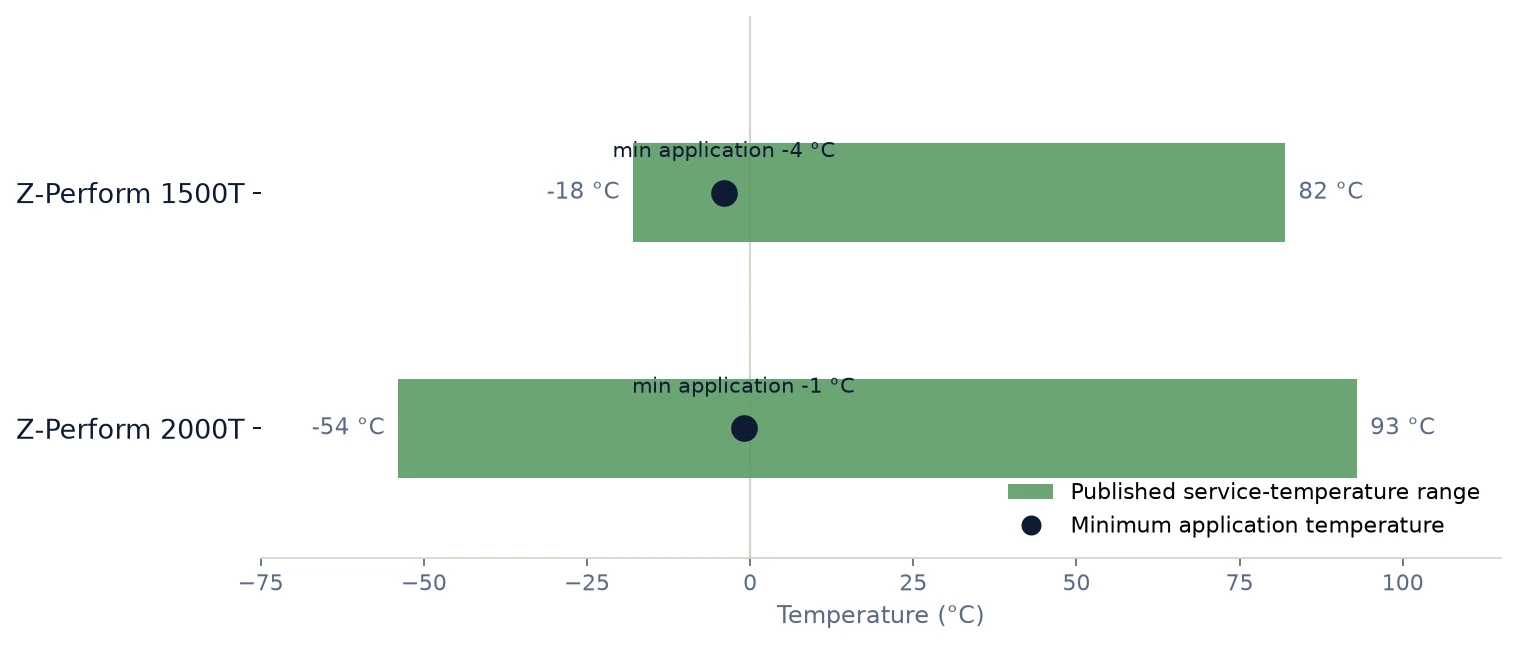
| Specific grade | Minimum application temperature | Published service range | Document identifier |
|---|---|---|---|
| Z-Perform 1500T | -4 °C | -18 to 82 °C | September 2016 |
| Z-Perform 2000T | -1 °C | -54 to 93 °C | Copyright 2018; no separate revision date found |
Sources: Z-Perform 1500T specification sheet, Z-Perform 2000T specification sheet, page 1 of each.
What the chart shows: two paper labels using the same printing method have different published limits. Method alone is therefore an incomplete purchasing specification.
What it does not show: a barcode survival time, a cold-room application guarantee or outdoor approval. Both sheets state that outdoor use is not recommended. No exposure duration, barcode-verification outcome or independent sample count is supplied for this chart.
Do not apply the lower service limit as permission to label an equally cold surface. For a cold-chain trial, record the surface temperature during labeling, subsequent storage conditions and any condensation. Then check adhesion and readability separately.
Match the ribbon to the exposure
Wax, wax-resin and resin describe ribbon families, not universal resistance certificates. Use the ribbon supplier's compatible-media recommendations to select candidates, then specify the actual contact chemical and handling conditions. Zebra's thermal transfer ribbon portfolio organizes products by formulation and intended media.
A concrete counterexample is useful here: the Z-Perform 2000T sheet marks alcohol, ammonia, bleach and IPA as “NR” for the listed 6000, 2000 and 6100 ribbon combinations. NR means not recommended; it is not a measured failure percentage. Thermal transfer printing does not make this paper construction suitable for every cleaning chemical. See its chemical-resistance table.
For a cleaning application, provide the chemical name, concentration, contact method and exposure duration. A brief splash and repeated wiping are different approval tasks. Do not substitute the phrase “chemical resistant” for those conditions.
Choose a starting point for your application
The following is an editorial shortlist for planning trials, not a record of tested AllinLabel performance.
| Application condition | Candidate to investigate | What must be demonstrated |
|---|---|---|
| Parcel label read through a short, controlled delivery cycle | Direct thermal paper | Readability through the actual transit and handling route. |
| Short-use label exposed to condensation | Protected direct thermal paper or a specified direct thermal film | Image, face and adhesion after the relevant wet exposure. |
| Indoor stock identification retained for an extended period | Thermal transfer paper with a compatible ribbon | Image stability and barcode quality through storage and handling. |
| Repeated cleaning, rough handling or outdoor exposure | A specified thermal transfer film-and-ribbon system; investigate specialist alternatives where appropriate | Evidence for the actual chemical, abrasion and weather exposure. |
| Labels applied to cold packaging | A construction with documented application conditions for that surface | Adhesion at the application temperature, plus readability during subsequent service. |
SATO's thermal transfer versus direct thermal white paper discusses the role of label-life requirements and exposure. Its examples are useful starting points, not approval for an unspecified product.
Browse AllinLabel's direct thermal materials, thermal transfer materials and protected thermal materials for candidate constructions. A category name does not replace a current data sheet and a trial.
Compare cost per accepted label
No ribbon does not automatically mean lower total cost. Likewise, paying for a ribbon does not automatically buy the resistance the job requires. SATO includes media, printer operation and maintenance in its cost discussion.
Use your own quotes and operating records rather than a generic savings percentage:
Cost per accepted label = total attributable labeling cost ÷ labels meeting the agreed acceptance criteria.
Include material, ribbon where used, setup scrap, changeovers, cleaning, attributable maintenance and reprints. Keep the period, quantity and cost boundaries identical for both candidates. Separate one-time qualification work from recurring production cost.
For converters, also record converting yield and roll-format requirements. A cheaper laminate that causes extra waste or does not release correctly on the customer's applicator may be the more expensive purchase.
Do not mix a quote per square meter with a quote per finished roll without accounting for label pitch, lanes, usable area and waste. There are no assumed prices or calculated savings in this guide.
Run a sample trial before ordering
The trial plan below is an editorial proposal. It is not an experiment that AllinLabel has completed, and it does not prescribe a universal pass threshold.
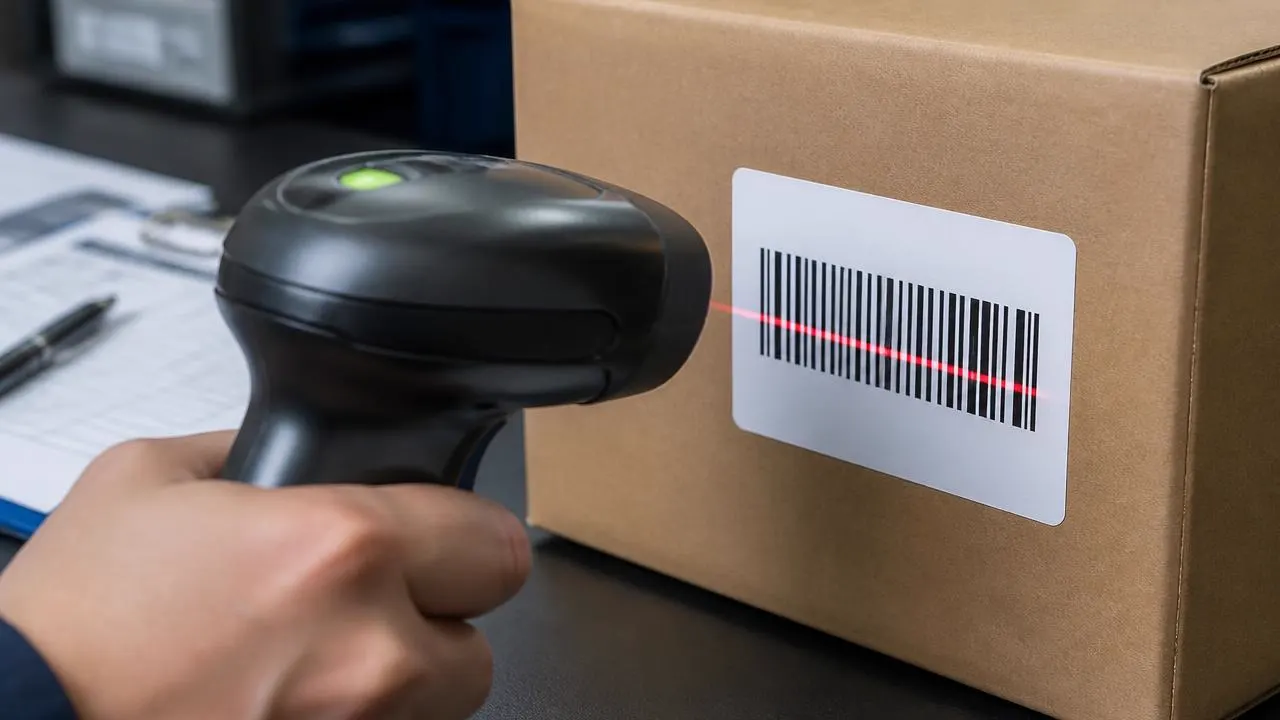
- Define acceptance first. State the last required reading point, the adhesion requirement and the applicable customer or barcode specification. Agree the number of independent specimens and batches before testing; do not treat repeated scans of one label as separate specimens.
- Identify each construction. Record the face and coating, adhesive, liner, supplier code and batch. For thermal transfer, add the ribbon code, formulation and printer compatibility.
- Print on the production equipment. Keep the artwork and barcode dimensions consistent. Optimize each candidate within its supplier's guidance and document the settings; forcing both materials to use identical darkness settings can create an unfair comparison.
- Keep a baseline. Record initial appearance and barcode quality. Apply samples to the actual packaging surface using documented conditions, and keep an unexposed control.
- Reproduce the relevant exposure. Document temperature, moisture, light, abrasion or chemical contact as appropriate. Use the customer's real exposure or an agreed method, rather than an arbitrary oven temperature or rub count.
- Record separate outcomes. Check printed-image change, barcode quality, face damage and adhesive failure individually. Keep failed specimens and photographs alongside the results.
GS1 distinguishes barcode verification from merely scanning to retrieve data in its 2D retail implementation guideline, verification section. A successful scan is useful operational evidence, but it is not a complete print-quality verification report. Choose the applicable verification method and acceptance criteria for the barcode and application.
Use this record structure without filling in results that have not been measured:
| Record field | What to capture |
|---|---|
| Sample identity | Construction, material and ribbon codes, batch, independent specimen ID. |
| Printing | Printer, resolution, mode, speed, darkness and artwork version. |
| Application | Substrate, surface condition, temperature, pressure and time before exposure. |
| Exposure | Method, temperature or chemical, concentration where relevant, duration and handling. |
| Outcome | Initial and final verification reports; image, face and adhesion observations. |
| Decision | Acceptance criterion, result against it, failure mode and any limits on approval. |
Prepare a material request
Describe the job before selecting the stock:
- Printer model, printing mode and current ribbon, if applicable.
- Required reading life and where the barcode is scanned.
- Packaging surface, application temperature and subsequent exposure.
- Label dimensions, pitch, lanes and converting or dispensing method.
- Face preference, adhesive requirement and liner requirement.
- Roll width, core, outside diameter, winding direction, quantity and destination.
Ask for the exact candidate construction, current TDS and sample format. AllinLabel's datasheet library states that its values are typical laboratory values rather than guaranteed specifications. Confirm the terms applicable to the quoted construction.
For material supply and converting formats, review label stock jumbo rolls. For the procurement process, use the sample, MOQ and lead-time guide.
Technical references
Independent supplier documentation used as background reading. These companies do not endorse or certify AllinLabel.
- Zebra: difference between direct thermal and thermal transfer printing
- Zebra: barcode labels and tags, paper and synthetic portfolios
- Zebra: Z-Perform 1500T specification sheet
- Zebra: Z-Perform 2000T specification sheet
- Zebra: thermal transfer ribbon portfolio
- SATO: thermal transfer vs direct thermal white paper
- GS1: 2D in retail implementation guideline, verification section
- Zebra support: direct thermal scratch screening method
Frequently asked questions
- Can I identify direct thermal material with a scratch test?
- A dark mark produced by firm, quick scratching can indicate a direct thermal coating. Zebra describes this screening method. It does not identify the grade, adhesive or resistance properties. If the response is unclear, check the material code and supplier documentation rather than approving it by appearance.
- Does a topcoat turn direct thermal into thermal transfer?
- No. A direct thermal topcoat does not change its basic image-forming method. Check the exact grade's documented resistance instead of treating “protected” as a guarantee for every wet or abrasive application.
- Does a synthetic face make a label waterproof?
- It may address the face-material problem, but not necessarily the image or adhesive problem. Evaluate the complete printed and applied construction under the expected exposure.
- Is there a standard number of months that direct thermal labels last?
- There is no single service-life figure established by the sources used here for all direct thermal grades. Specify your required life and conditions, then obtain grade-specific evidence. Do not use a receipt-paper archival claim as the service-life rating of an adhesive shipping label.
- Which method should I choose if both pass the trial?
- Compare cost per accepted label, changeovers, stock management and the margin against your actual exposure. Choose from constructions that meet the requirement; do not buy a resistance claim the supplier has not demonstrated for your job.
Need a material shortlist for your printer and application?
Request thermal label material samples and include the operating conditions above. Confirm availability, sample format and commercial terms in the quotation.